Microsoft Excel and Google Sheets are both popular spreadsheet programs that are used for storing and organizing data. Both programs have similar features, such as the ability to create and edit spreadsheets, insert formulas, and perform data analysis. However, there are some key differences between the two programs that may make one more suitable for your needs than the other.
One of the main differences between Excel and Sheets is their availability. Excel is a part of the Microsoft Office suite of programs, which must be purchased and installed on your computer. Sheets, on the other hand, is a part of the Google Drive suite of programs, which is a cloud-based service that can be accessed from any device with an internet connection. This means that you can access and edit your Sheets files from any computer, smartphone, or tablet, as long as you have an internet connection and a Google account.
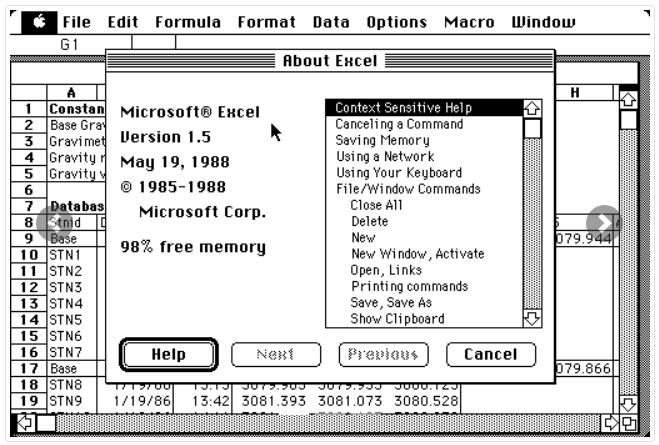
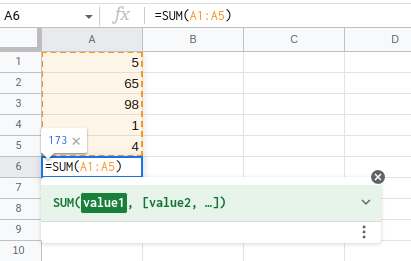
Another key difference between Excel and Sheets is their interface. Excel has a more traditional interface, with a familiar menu bar and toolbar at the top of the screen. Sheets, on the other hand, has a more modern and minimalistic interface, with a series of buttons and icons along the top of the screen. Some users may find Excel’s interface to be more intuitive and easier to use, while others may prefer Sheets’ more streamlined design.
Excel and Sheets also differ in their available features and functions. Excel has a larger range of features and functions, including advanced tools for data analysis and visualization. Sheets, on the other hand, has a more limited set of features and functions, but it does have some unique tools, such as the ability to collaborate with other users in real-time and the ability to create and edit simple web-based documents.
When it comes to compatibility with other programs and platforms, Excel and Sheets also have some differences. Excel files can be opened and edited by other programs that support the .xlsx file format, such as Apple Numbers and Apache OpenOffice Calc. Sheets files, on the other hand, can be opened and edited by other programs that support the .xlsx file format, as well as the Google Drive API. This means that Sheets files can be accessed and edited by a wider range of programs and platforms than Excel files.
Finally, there are some differences between Excel and Sheets in terms of pricing and subscription plans. Excel is only available as part of the Microsoft Office suite, which requires a one-time purchase or a subscription plan. Sheets is available for free as part of the Google Drive suite, but it also offers paid subscription plans that include additional storage and advanced features.
In summary, Microsoft Excel and Google Sheets are both powerful spreadsheet programs that are used for storing and organizing data. However, there are some key differences between the two programs, including their availability, interface, features, compatibility, and pricing. Depending on your needs, one program may be more suitable for you than the other.